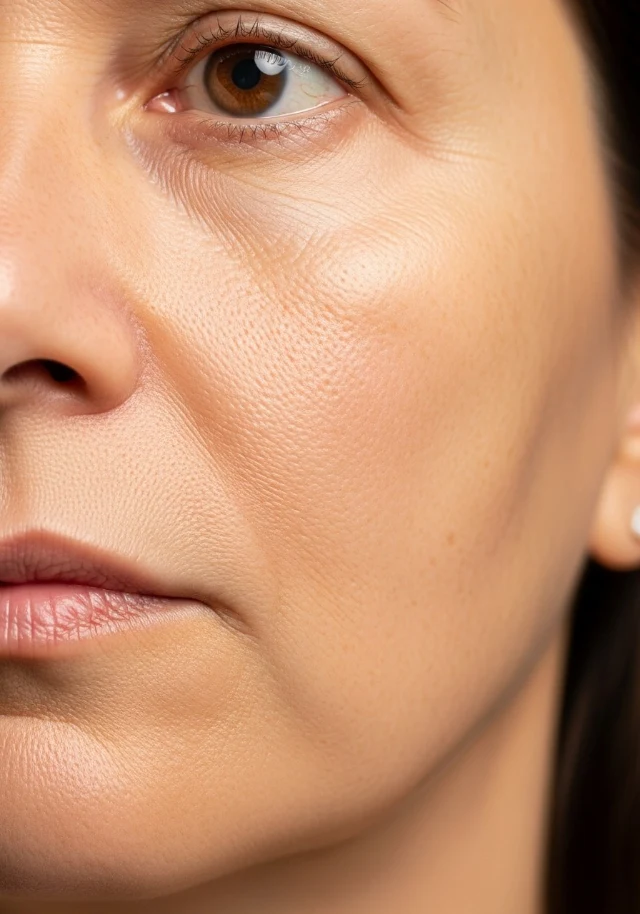
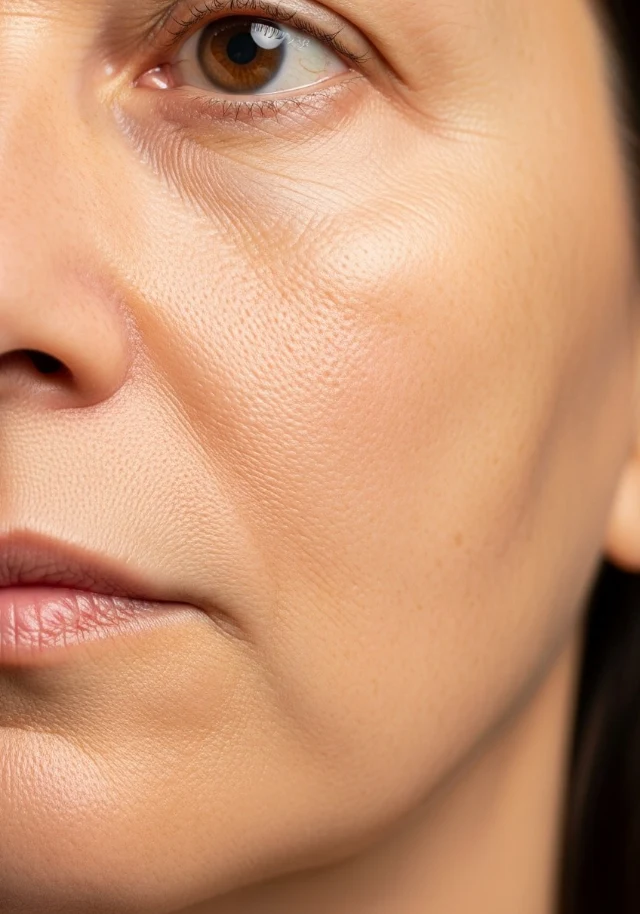
Keep visit photos on the client’s record. Compare any two, with their dates and context in view.
Compare Photos
Before
Aug 11, 2026
After
Oct 6, 2026
BeforeAfter
Before
Aug 11, 2026
After
Oct 6, 2026
Region: Face
Drag the slider to compare
Illustrative comparison · example client photos
Taken at the visit.
Add from the appointment or directly to the client’s record.
Marked and tagged.
Before, after, progress or reference; the body area, a more specific area like left cheek, and a short note.
Shown together.
Choose two photos by area or date, side by side or with a slider.
Photo comparison and sharing context
Side by side or a slider. Choose any two of their photos.
One area at a time. Filter their photos to the face, hands or another area.
When each was taken. Each photo’s date and how many days apart they were taken.
Ask before you share. Their answer about marketing use is noted on the photo.
When a treatment has no picture
Let your menu show your work.
Add photos
Drop more photos here, or browse files
JPG, PNG, WebP or HEIC · up to 10 MB each · 20 at a time
Used forPromotionsTreatmentsProductsPackagesYour brand
You can change this later on each photo.
4 photos1 couldn't be added3 added · 1 couldn't be added
peel-treatment-room.webp28 KBRemoveAdded
facial-treatment.webp48 KBRemoveAdded
spa-suite.webp34 KBRemoveAdded
notes.pdf96 KBNot an imageRemove
Cancel
Add 3 photos
Done
Add photos
Drop more photos here, or browse files
JPG, PNG, WebP or HEIC · up to 10 MB each · 20 at a time
Used forPromotionsTreatmentsProductsPackagesYour brand
You can change this later on each photo.
4 photos1 couldn't be added3 added · 1 couldn't be added
peel-treatment-room.webp28 KBRemoveAdded
facial-treatment.webp48 KBRemoveAdded
spa-suite.webp34 KBRemoveAdded
notes.pdf96 KBNot an imageRemove
Cancel
Add 3 photos
Done
Choose a photo for Chemical Peel
Pick one of your photos, or add a new one. It shows on your menu and website.
Search photos
Add photos
Showing photos you can use here. Client photos aren't shown — they stay with each client's record.
Peel treatment room
Facial treatment
Spa suite
It becomes public on your menu and website when you use it.Peel treatment roomIt becomes public on your menu and website when you use it.
CancelUse photoUse photo
Chemical Peel
Photos
Primary
Add photo
Photo added
1 of 10 images
Illustrative image selection
Add your photos once. Choose from the same library for treatments, products and packages.
Adding and choosing images
Add up to 20 JPEG, PNG, WebP or HEIC photos, up to 10 MB each, and record their use
A file that can’t be added is named with its reason; the others can still go in
The first photo on a treatment becomes its main photo
Search your photos by name
When someone asks, “Can we post this?”
The answer is on the photo.
Taken Oct 6, 2026 · Chemical Peel · from Hannah Brooks's record
Used for
Client photo
Marketing consent
Consent not asked
Record consent
Show history
Used on
Not used anywhere yet
Details
Marketing consent
Given
Declined
WithdrawnNothing to withdraw — consent was never given.
Notes (optional)
Okaytoshare,facecropped.
CancelSave consent
Taken Oct 6, 2026 · Chemical Peel · from Hannah Brooks's record
Used for
Client photo
Marketing consent
Consent given
Recorded by Maya Chen · Oct 6, 2026
“Okay to share, face cropped.”
Update consent
Show history
Consent not askedConsent given
1 minute ago · Recorded by your team
“Okay to share, face cropped.”
Used on
Not used anywhere yet
Details
Taken Oct 6, 2026 · Chemical Peel · from Hannah Brooks's record
Used for
Client photo
Marketing consent
Consent not asked
Record consent
Show history
Used on
Not used anywhere yet
Details
Taken Oct 6, 2026 · Chemical Peel · from Hannah Brooks's record
Used for
Client photo
Marketing consent
Consent not asked
Record consent
Show history
Used on
Not used anywhere yet
Details
Marketing consent
Given
Declined
WithdrawnNothing to withdraw — consent was never given.
Notes (optional)
Okaytoshare,facecropped.
CancelSave consent
Taken Oct 6, 2026 · Chemical Peel · from Hannah Brooks's record
Used for
Client photo
Marketing consent
Consent given
Recorded by Maya Chen · Oct 6, 2026
“Okay to share, face cropped.”
Update consent
Show history
Consent not askedConsent given
1 minute ago · Recorded by your team
“Okay to share, face cropped.”
Used on
Not used anywhere yet
Details
Taken Oct 6, 2026 · Chemical Peel · from Hannah Brooks's record
Used for
Client photo
Marketing consent
Consent not asked
Record consent
Show history
Used on
Not used anywhere yet
Details
Illustrative consent record
Keep the client’s answer about marketing use with the photo: given, declined or withdrawn, plus an optional note and its history.
A record of their answer, not a signed photo release.
Consent history and permissions
Client photos also appear in Media, filed as Client photos; their category cannot be changed
A client photo needs consent recorded as given to become public or appear on your website. It is never offered for your menu or campaign emails
Only team members with the consent permission can record it
Under Client photos, filter by consent
See the media library in EstheticSense
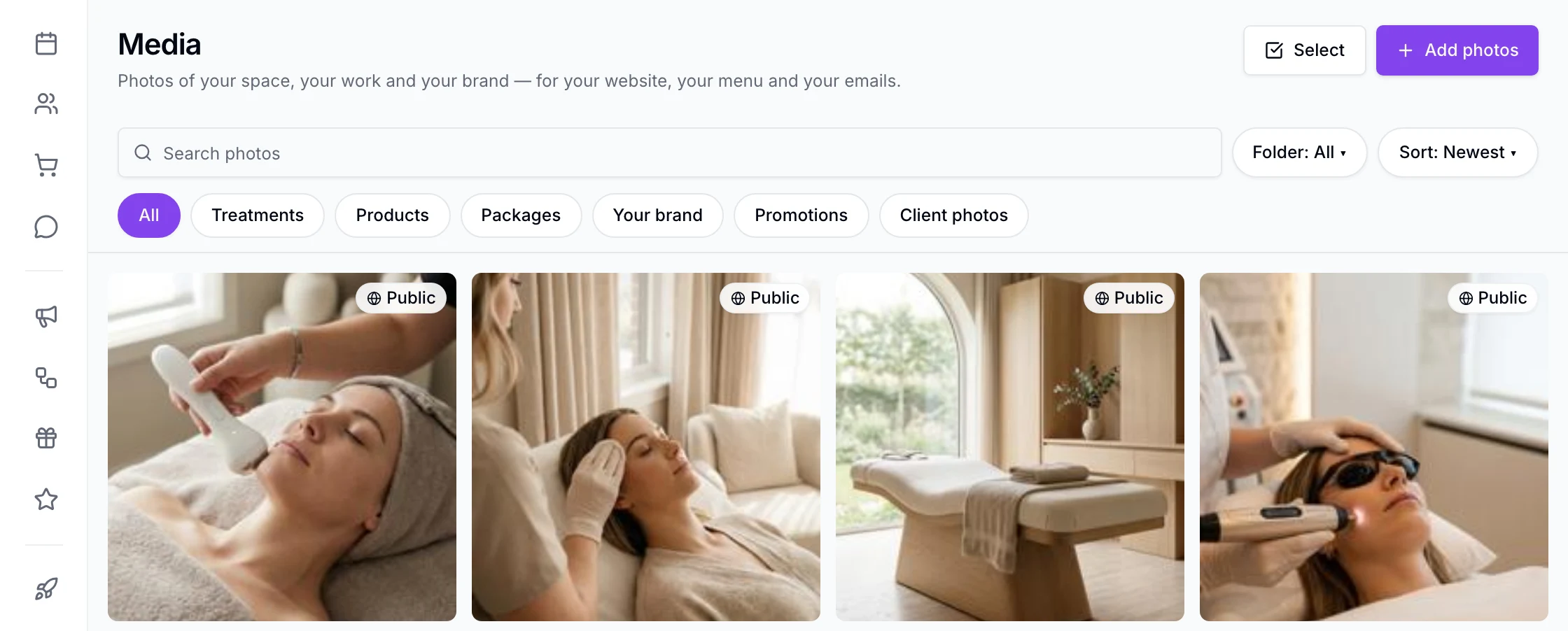
Media in the staff app: the business's photos in one grid with search, Add photos and filters for Treatments, Products, Packages, Your brand, Promotions and Client photos; each photo marked Public.
Create or rename folders, move and filter photos, and delete empty folders
Tags, with suggestions from tags you've used
Select several photos to move, tag or delete together
Each photo+−
Change its name, description, tags or what it's used for
See which treatments, products and packages it is on
Rotated correctly, with small previews generated and location and camera details removed
Logos keep their transparent background
Download a photo’s original file from its details
Delete a photo, and it comes off your menu and website
Photos you haven’t made public, including client photos, can’t be opened by anyone outside your team, even with the file’s address
Where photos are used+−
Make a photo public and copy its link
With the Website builder (beta): choose photos for your site; they go public when you next publish
With Campaigns: choose a photo for an email; it becomes public when used
Add a new photo from inside the picker, filed for that spot
Make a public photo private again, and its public copy is deleted and taken off your website
Put a client photo on your website once its consent is recorded as given
Client photos+−
Filter by photo type, service or date
The same clean-up for client photos, and only real image files accepted
Consent changes in allowed steps; going back to given needs a note
Delete a photo from a client's record
Choose how many days deleted photos are kept, 30 by default
Recording consent as declined or withdrawn makes the photo private again, deletes its public copy and takes it off your menu and website
Switch a client’s photos to a timeline in date order, with the days between each
Pair a before photo with an after photo so they stay linked and show together in the gallery
Adding a photo from an appointment suggests its type from where the visit stands and its body area from the service, and an after photo offers to pair with that visit’s before
Open an appointment to see the before and after photos taken on that visit
On a visit with more than one service, each photo is filed against the exact service it was taken for
If a photo doesn’t finish saving, nothing is left in storage and no storage credits are used
Only team members whose role includes client photos can open them, and only those who manage photos can add, pair or delete
A provider limited to their own work sees and adds photos only for their own services on a shared visit
On your iPhone+−
Media in the iPhone app
Add a photo to Media from your phone's camera
Add a client photo from the camera or photo library, to the client or the open appointment
Browse a client’s gallery by type, pairs or timeline; open photos full screen or see each visit’s photos from its appointment
Record a client photo's consent
Make a photo public or private
Choose from your photos when adding one to a treatment, product, package or your website
Pair an after photo with its before, and open the pair side by side or in a slider
Change a photo’s type, body area or note, unpair it, or delete it
Before you decide
Switching from another tool?
Plan the move before anything changes at your business.
Clients can't yet see their photos or answer about marketing use from their Client Account. Consent is recorded by your team, not signed by the client; a signed photo release isn't available yet. There's no built-in editor or watermarking, folders don't nest, and the Android app comes later. Media is a tool, not legal advice or a compliance guarantee.