

Deposits & no-shows

Give booked time a commitment.

Ask for a card deposit after an online booking. Keep the policy and payment record with the appointment.

For online bookings. Staff-booked appointments do not collect deposits.

Illustrative online booking
Payment confirms the held visit.
One deposit, four endings

One deposit. A clear next step.

When plans change, keep the payment and the policy together.

  1. Cancelled in time

    Refunded

    Refunded in full or in part, according to your cancellation window.

  2. Late cancellation or no-show

    Forfeited

    Kept when your policy calls for forfeiture.

  3. The client attends

    Applied

    The paid deposit comes off the balance at checkout.

  4. The visit moves

    Moved

    Keep it with the rescheduled visit, or transfer it to the same client’s next upcoming appointment.

Where the record lives
  • Each appointment shows its deposit and whether it’s pending, held, applied, refunded, transferred or forfeited
  • The same on the appointment in the iPhone app, including a refund the bank sent back that is still owed
When they book online

Payment confirms the booking.

Illustrative confirmation email

An online booking is held while the client pays by card. Paid in time, it’s confirmed. Left unpaid, the hold is cancelled and the time opens again.

Deposit rules and coverage
  • Every online booking, as a percentage of the price or paid in full
  • Or a particular service, as a percentage or a fixed amount
  • More than two no-shows or more than one late cancellation, and they’re asked for a deposit whatever they book
  • A membership or package that covers part of the service: the deposit is worked out on what they still owe; no deposit is needed when fully covered
When they don’t come

Your policy. Your call on the fee.

Illustrative staff fee decision

A no-show follows your deposit policy. With fee protection on, staff choose whether to charge the saved card or waive the fee. A forfeited deposit counts first; only the difference is charged.

Refunds and policy controls
  • Refund a deposit yourself, in full or in part and with a reason, from the amount your policy allows
  • Forfeit one yourself, with a written reason
  • A refund the bank sends back shows as still owed until a manager records how it was repaid
  • In the iPhone app, change your refund timing and whether deposits are forfeited on no-shows and late cancellations
For your clients

No wondering where the deposit went.

  • By card, on the booking page

    Confirmed as soon as the payment goes through.

  • In their confirmation

    The booking confirmation email shows the deposit they paid.

  • Told what happened

    An email when a deposit is refunded or forfeited, and when an unpaid booking is cancelled.

  • From the waitlist too

    Accepting an offer for a service that needs a deposit asks for it; the time isn’t booked for them until it’s paid.

See the appointment record and payment routing
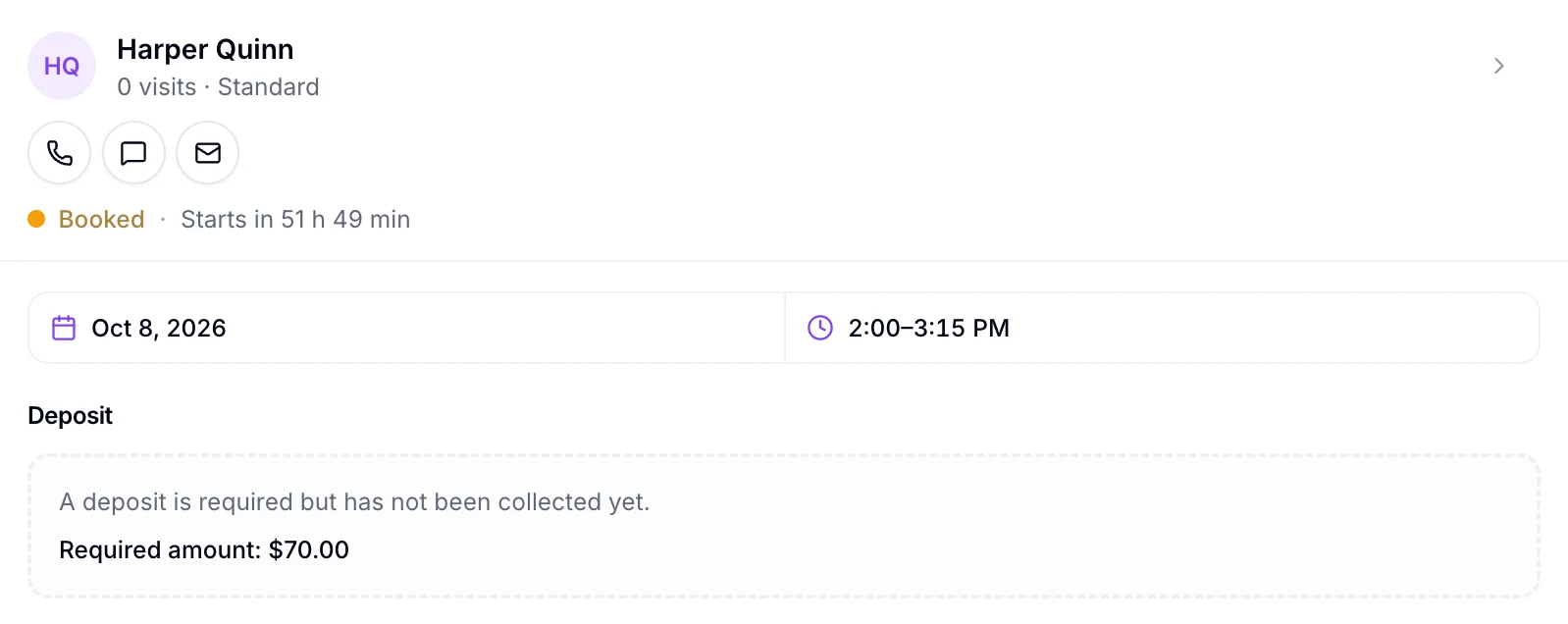
Harper Quinn’s appointment in the EstheticSense staff web app, booked online for Oct 8, 2026, 2:00 to 3:15 PM: its Deposit block says a deposit is required but has not been collected yet, Required amount $70.00.

Product capture: deposit required, not yet collected.

Open full-size capture (new tab)
  • Each deposit is taken through your business’s connected Stripe account and recorded once against the booking it pays for

Before you decide

Switching from another tool?

Bring your cancellation policy; it becomes the deposit rule.

Plan the switch →
What does it cost?

Deposits are included in the subscription; card processing is paid to your payment provider.

See pricing →
Not available yet

Deposits for appointments your team books, deposits on package purchases, deposits paid in cash, turning a lost deposit into credit, a goodwill refund after a forfeit, reminders before the payment deadline, setting that deadline yourself, deposits after a booking request is approved, wallets, bank transfer and pay-later, and Android are later. Deposits don’t spread over time, and this page makes no promise about how many clients will or won’t show up.

Related Online bookingPayments & checkoutAppointments & calendarClient Portal

Bring your cancellation policy

Make the commitment clear from the start.

See how your online booking policy connects to payment, cancellation and checkout.

$19 first provider · $149 maximum per location