
A reminder for them. One less task for you.
Confirmations, reminders and updates, sent automatically by email or text.
Texting needs setup. Messages follow your channel settings and client preferences.
For spas, salons and medspas. Solo to several locations.
One visit. Less to remember.
Appointment messages follow your settings, from confirmation to thank-you.
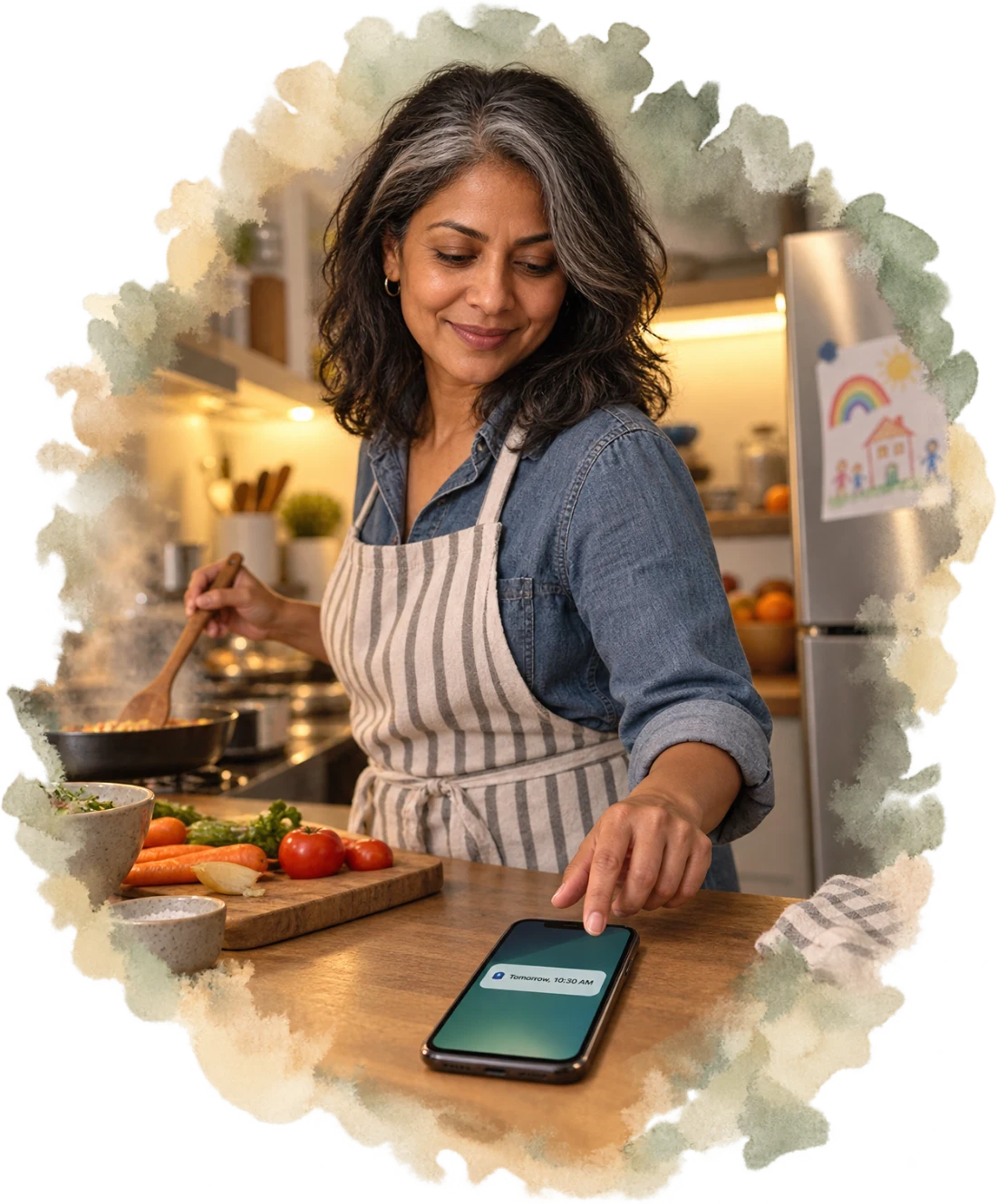
Example messages · Nora’s Thursday visit
-
Mon · 11:10 AM
Booked.
The confirmation puts Nora’s appointment details in her hands.
-
Tue · 10:30 AM
Reminded.
A nudge before Thursday’s visit, at the timing you chose.
-
Wed · 9:40 AM
Updated.
Emily moves the visit. Nora’s notice shows the new and previous time.
-
Thu · 3:05 PM
Thanked.
Once the visit is completed, a thank-you follows.
Your timing. Your channels.
Choose when to nudge, and how to stay in touch.
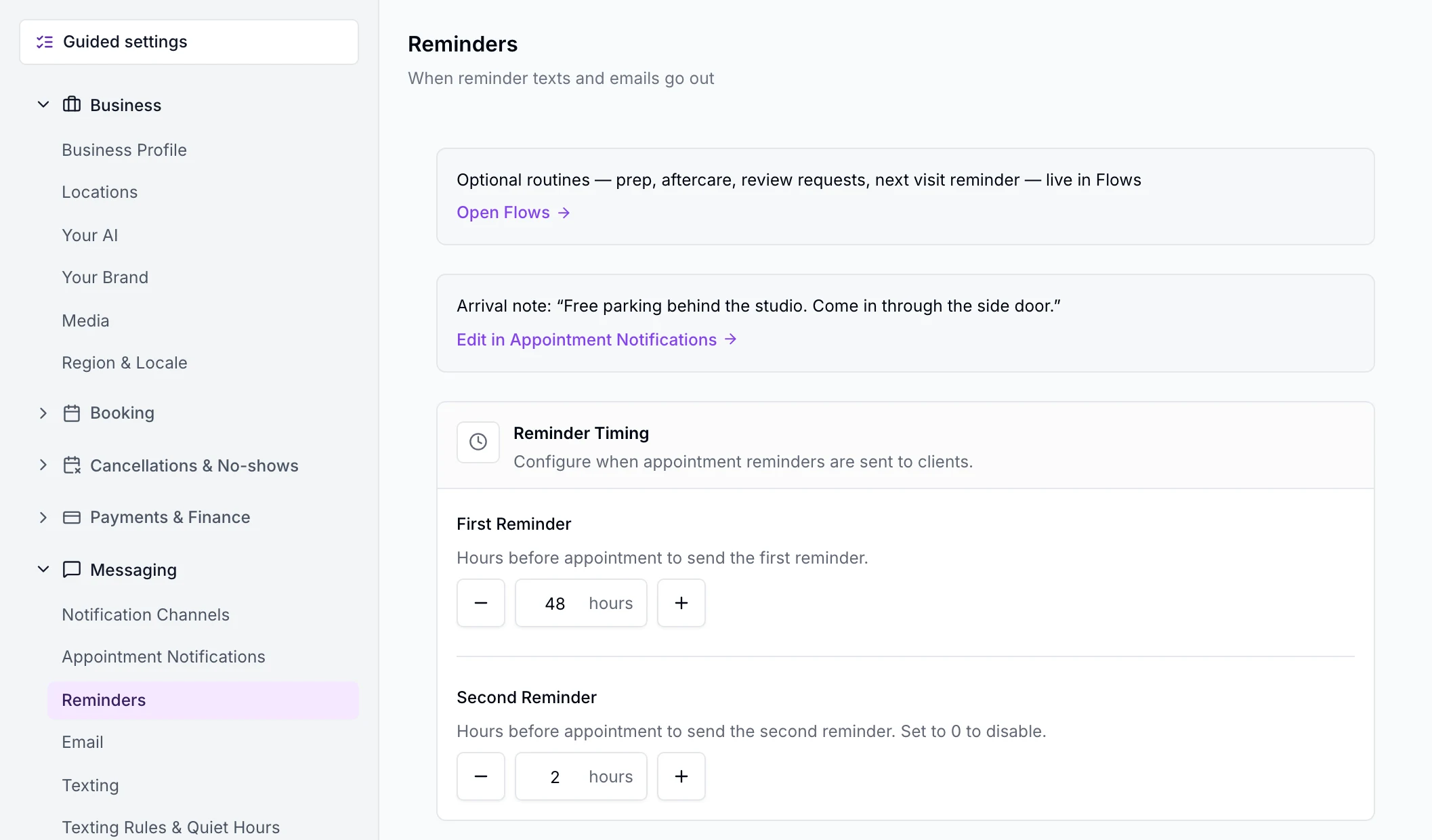
- First reminder
- 48 hours
- To start. Change the timing to suit your business.
- Second reminder
- 2 hours
- Change the timing, or switch this one off.
- Email, text or both
- Your choice
- Choose the channels for reminders and appointment updates.
Messages respect disabled channels and client opt-outs.
See the settings
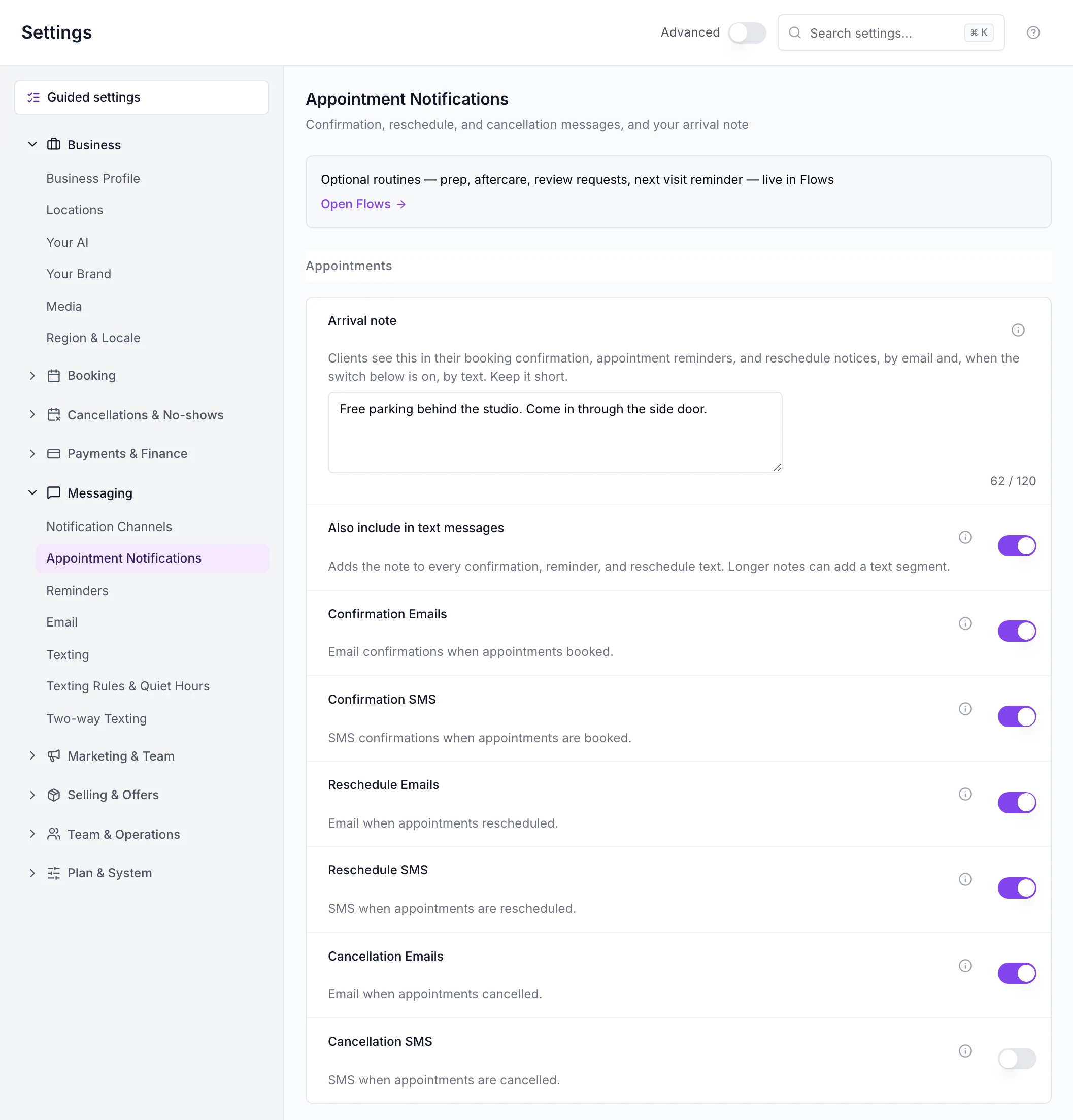
From the staff web app: Appointment Notifications and Reminder Timing are on separate settings pages.
Keep your team in the loop.
Emails keep assigned teammates informed. On iPhone, enable appointment alerts and tap through to the booking.
The details, when you need them.
Appointment messages
- Booking confirmations go by email; turn confirmation texts on to add SMS. Choose email and text separately for confirmations, reschedules and cancellations.
- When you cancel and leave “tell the client” on, the cancellation message includes a link to book again.
- Mark a no-show with “tell the client” on to send a we-missed-you message with a booking link.
- A completed visit triggers a thank-you by email and text, subject to your settings and the client’s preferences.
- Emails display your business name. Replies go to the reply address you set, or your business email.
- Another business cannot change the wording of your client or team messages.
Keeping your team informed
- Assigned team members get emails for bookings, moves and cancellations, plus a reminder before the visit.
- When reminders go by text, staff whose sign-in has a mobile number also get a reminder text.
- Enable or disable push in My Profile in the iPhone app. Permission is requested when you enable it.
- With push on, get alerts for appointments booked with you, assigned to you, changed or cancelled, and an hour before they start.
- Tap an appointment alert to open that booking, including when the app was closed or you need to sign in.
- The lock screen limits client detail and leaves out the treatment and client contact details.
- Signing out or switching push off stops notifications to that phone.
- If a push reaches none of your devices, it is recorded as not delivered.
Your notifications in the web app
- The bell lists your notifications newest first, with an unread count.
- Open a notification to visit its linked appointment, sale or page and mark it read.
- Mark all your notifications read at once.
- Dismiss a notification to remove it from your list.
- New notifications appear with a short pop-up, without a page reload.
- See only notifications addressed to you in the business you are signed in to.
- Read and dismiss actions apply only to your own notifications.
- New notifications, reads and dismissals sync only across your own open sessions.
Before you decide
What does it cost?
Appointment and reminder texts and emails are included in the subscription, with no meter.
See pricingCan I change the wording?
Editing these messages isn’t available yet. You can choose reminder timing and the email or text channels.
What else should I know?
A list of sent messages, push for appointment requests and Android push aren’t available yet. Clients don’t receive push notifications, and push isn’t available in a browser or for marketing.
RelatedTwo-way textingCalendar & schedulingOnline bookingRoutines
Take reminders off your daily list.
See a sample appointment’s messages in a demo.