
A warm introduction. A thoughtful thank-you.
Connect the introduction to the booking. Reward an eligible first paid visit with store credit, after your waiting period.

Keep the introduction connected to the visit.
Clients share their own link from the Client Portal. It opens your booking page with the referrer’s first name.
Selena shares her link.
From the Client Portal, using a link, code or phone share sheet.
Jolene books with it.
The booking and client record keep who referred her. Only Selena’s first name is shown.
Selena earns credit after the visit.
First eligible visit completed and paid, waiting period passed. Staff apply earned credit at checkout.
Sharing links and recording introductions
- She can send it through her phone’s share sheet or her own text or email app, or save it as a QR code
- A client’s link and six-character code are hers, made the first time she or your desk asks for them
- At the desk, open a client’s link from her record or from Referrals to copy it, copy her code or download the QR code
- Opening the share screen does not count. The first copy of the link or code counts one share; copying again adds none
- The referrer’s client record shows friends invited and rewarded, with the referral-link action
- Open a referral to see its progress, who referred whom, how it was recorded and what you can do next
- She only said a name at the desk? Enter her friend’s code when you check her out: an unknown code is refused, and a real one shows whose it is first
- Completing that sale counts her as that client’s referral
- Or mark a client as referred by another, from her record or from Referrals
- The hub lists every referral and its status; Needs attention filters blocked and reward-pending referrals, with a count
A thank-you for a real first visit.
Illustrative reward record · example credit
You set the credit for each person. It’s earned after the friend’s first eligible visit is completed and paid, once your waiting period has passed.
Choose eligible services, reward limits and expiry. The reward is store credit; staff apply it when checking out.
What makes a visit eligible
- Only a friend who has never visited before counts; a returning client’s referral is blocked, with the reason shown
- The first visit must be paid. A refunded or cancelled visit—or one still unpaid after seven days—blocks the referral
- Only when the visit includes a service that earns rewards and doesn’t need medical supervision
- A referral’s rewards are issued once, even if its check runs again
- Open the referral to see what each side received, when, and when the credit expires, even after you change your amounts
Their thank-you has a place to live.
Illustrative client referral credit
Clients can see the progress of their referrals and whether their credit is ready, used or expired.
Store credit, applied by your team at checkout. No automatic thank-you texts.
Credit visibility, use and expiry
- See each introduction. My referrals shows each friend’s first name and progress, with a filter by status.
- See the credit’s status. Ready, used or expired—with the date it can be used until.
- A reminder at booking. Online booking shows unspent referral credit and its expiry.
- Your desk applies it. Clients, friends and staff see the same terms. Staff apply the credit at checkout.
- It lasts as long as you said. Referral credit expires after the number of months you set, and expired credit can’t be spent.
- Every use is recorded. Every use keeps the amount and the sale linked to the credit.
See the referral records in EstheticSense
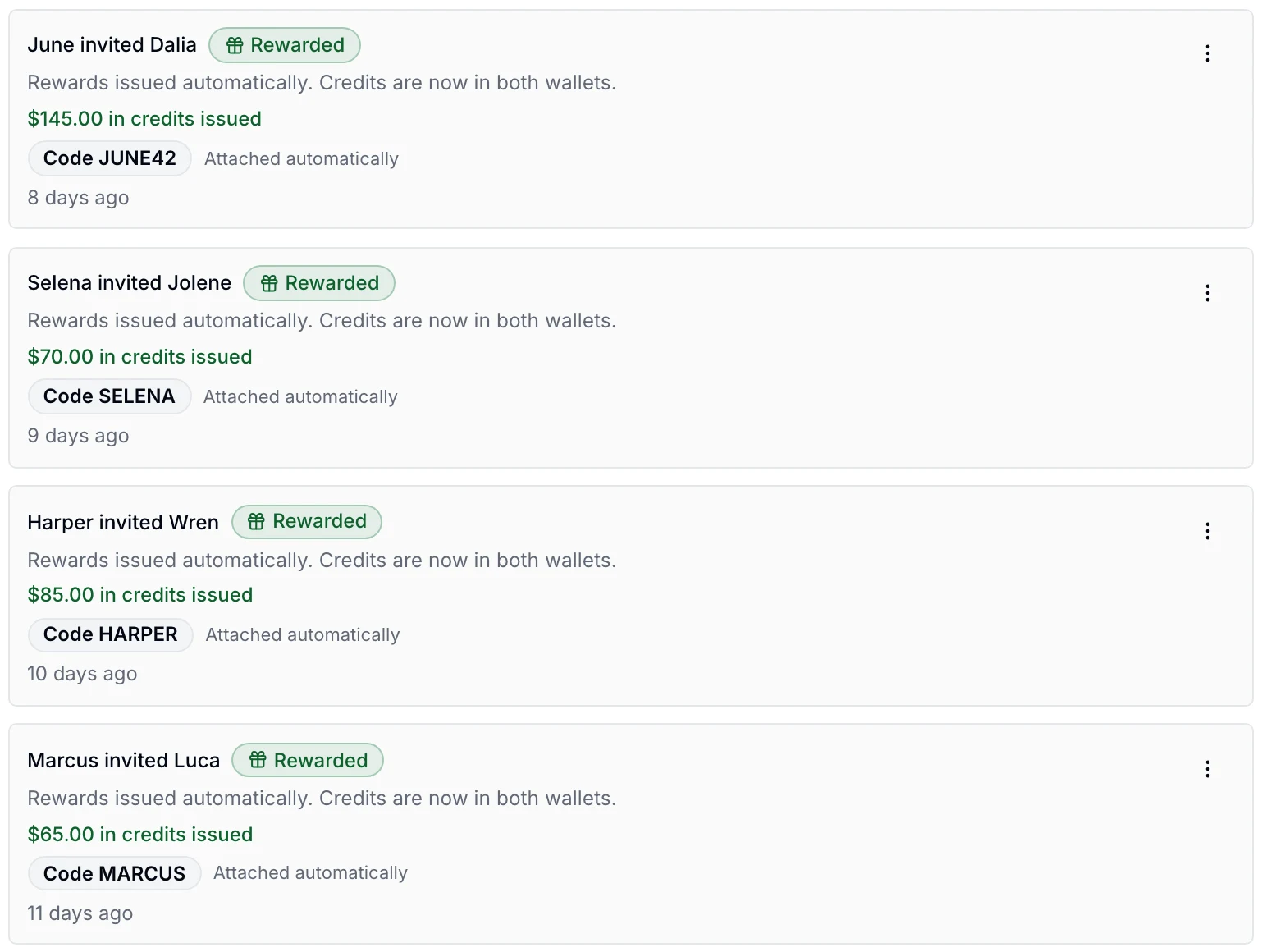
The rest of Referrals.
Grouped by the moment you need it.
Setting it up
- Your program stays off until you turn it on
- Turn it on or off in Settings; while it’s off, bookings through a client’s link aren’t recorded as referrals and share and mark actions disappear
- Set both rewards to zero to pause: new referrals stop being recorded and share and mark actions disappear, while your history, top referrers and tax report stay visible under a Paused banner
- Choose Beauty only, where referrals earn store credit on services that don’t need medical supervision, or Loyalty only, where a completed referral earns no credit
- Set how much store credit your client earns and how much her friend gets
- Set how many rewarded referrals a client can earn in a month, how long the credit lasts, and how long to wait after the friend’s visit
- Pick the services that count toward a reward, one at a time in the service editor or from one list in the referral settings, on the web or in the iPhone app
- Choose which team members can share links and see Referrals; only owners can mark, reassign or clear a block
Fixing a referral
- Move a referral to a different referrer with a reason; the friend and the current referrer can’t be chosen, and every change is kept in an audit trail
- Moving a rewarded referral and choosing to reissue withdraws the first referrer’s unused credit and gives the new one the same credit with the same expiry
- Clear a referral’s block with a written reason; only that one check is skipped, and the others can still block it
The rules a reward follows
- A referral is blocked when the friend is the referrer, shares her phone or email, or used that phone or email in another client’s referral in the past year
- A client earns rewards for at most the number of referrals a month you set; later ones that month are blocked, with the reason shown
- Pausing or turning the program off stops rewards not yet issued; credit already issued can be spent until it expires
- If the friend’s qualifying visit is refunded or disputed after the rewards were issued, they are taken back and the referral shows what happened
- Refunding a sale paid with referral credit gives the credit back without extending its expiry or loosening its terms
Seeing how it’s going
- The overview shows new clients from referrals, the conversion rate, the share rate against the program’s targets and the rewards still pending, for the dates you choose
- See your top referrers for the dates you choose, as a Top 5 or a longer list, with how many of their friends were rewarded
- The owner’s home dashboard shows how many new clients came from referrals across all locations, and opens Referrals
- See what the program has cost in credit issued and its return on referred clients’ first-visit revenue, shown only to people who can see all reports
- See this year’s credit for referrers past the thresholds the list watches, and download it as a CSV for your accountant, as information rather than tax advice
Where it works
- Referrals is in the staff web app
- And in the iPhone app; reward amounts are edited on the web
Before you decide
Switching from another tool?
Plan the move before anything changes at your business.
Plan the switch →Not available yet
Sending a client her link by text or email from EstheticSense, an invitation after a visit, notices when credit is issued, a thank-you text to a referrer, replacing a client’s link, preview cards in messaging apps, credit that comes off the bill without your desk choosing it, a discount on the friend’s first bill, rewards other than store credit, a Referrals report in Reports, letting managers mark or reassign, crediting a provider and the Android app aren’t available yet. What your state allows for referral rewards, and any tax filing, stay yours to decide.
Make every introduction feel appreciated.
Follow a referral from a shared link through the first eligible paid visit and the credit used at checkout.
$19 first provider · $149 maximum per location